PHASELIGHT
Load a scene. Mod everything. Take the look. GPU shaders, 3D dioramas, screen capture and live media — mixed on a clip grid, a page per song, driven by audio, taken live and streamed anywhere.
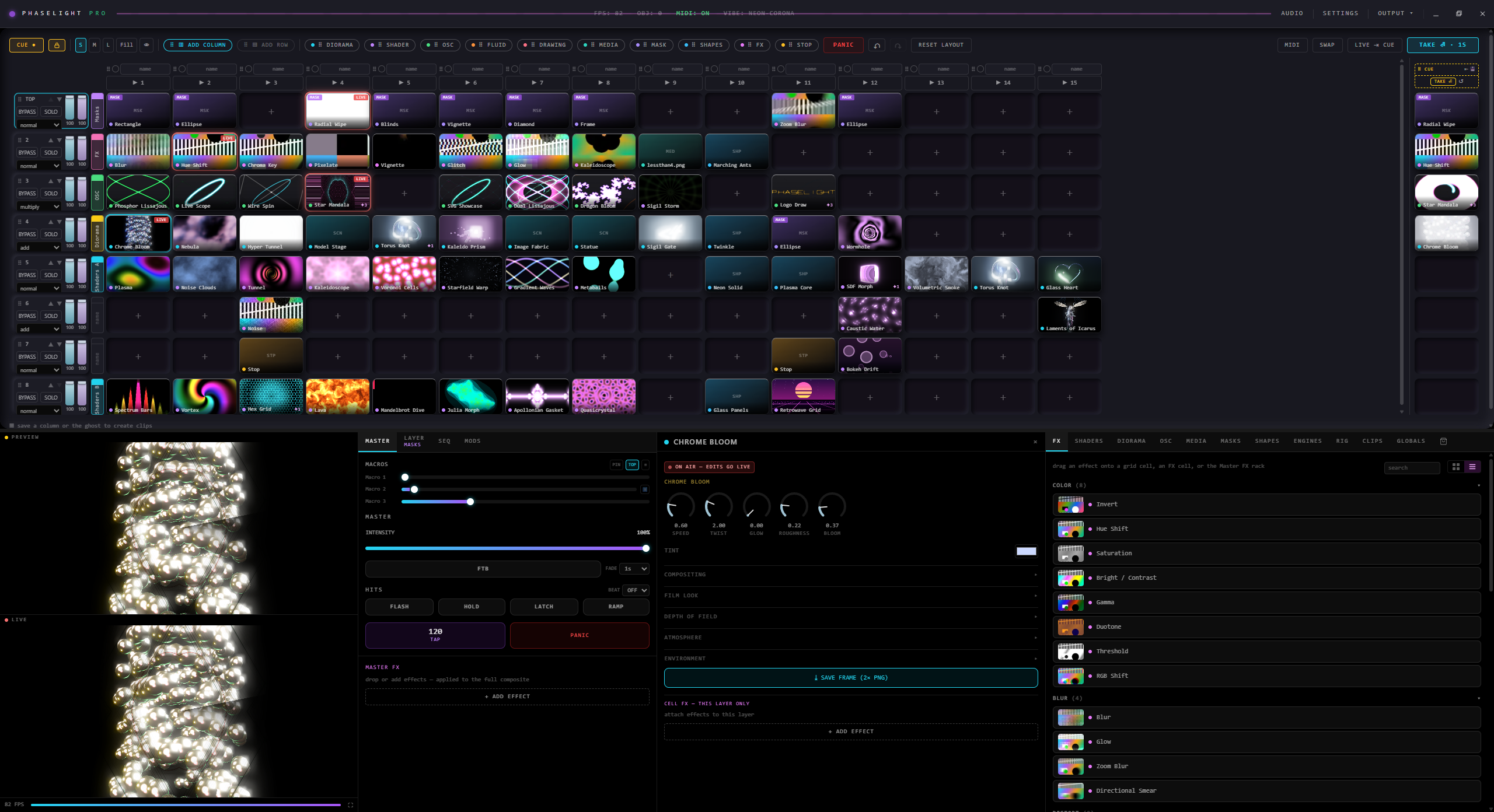
Columns are looks, rows are layers, pages are songs — the whole desk in one view.
One instrument · every surface
A whole rig on a clip grid
Columns are looks, rows are layers, pages are songs. Six surfaces on one console — patch them together and drive the whole wall from the CUE deck.
Six engines
100+ GPU shaders and your own GLSL, 3D dioramas, oscilloscopes, live media, a full text engine and instrument readouts — every one of them a clip you can stage and take.
A page per song
Build the grid for one track, add a page, build the next. The pads never move: column 3 is column 3 on every page, so the same MIDI note plays your whole set.
Cue / Take
Stage the next look on CUE, then commit with TAKE — instant, crossfaded or A/B. The floor never sees you work.
The canvas
Drag a source anywhere on the output, crop it, skew it, corner-pin it onto a surface that is not a rectangle. Feather the edge so it melts into the scene under it.
Flights
Place the same source differently in two columns and it travels between them when you take, instead of jumping. Nothing to set up — drag it where you want it and the flight is already armed.
Live sources
A game, a browser, a second monitor, a camera — straight into a grid square, with every effect and transition a clip gets. Convert a clip to GPU format and run several video layers at once.
The conductor
A segment is a list of steps: wait this long, then do that. Fire a column, take, hit, change page — each step waits from the one above it, so inserting one in the middle costs nothing.
Mods
16 LFOs → unlimited targets
Plus audio envelopes, the six bands and their hits, the beat and the bar, and the full spectrum. Route-learn any parameter in a click — or weld a modulator straight onto the control — and the whole rig breathes on its own.
The timeline
Arrange a whole passage — clips, automation curves, text — then drop it on a grid square. Taking that square plays the arrangement out, once or on a loop.
See it move
Built like an instrument
Not a slideshow — a lighting desk. Every panel is live and hands-on. Click any monitor to zoom in.
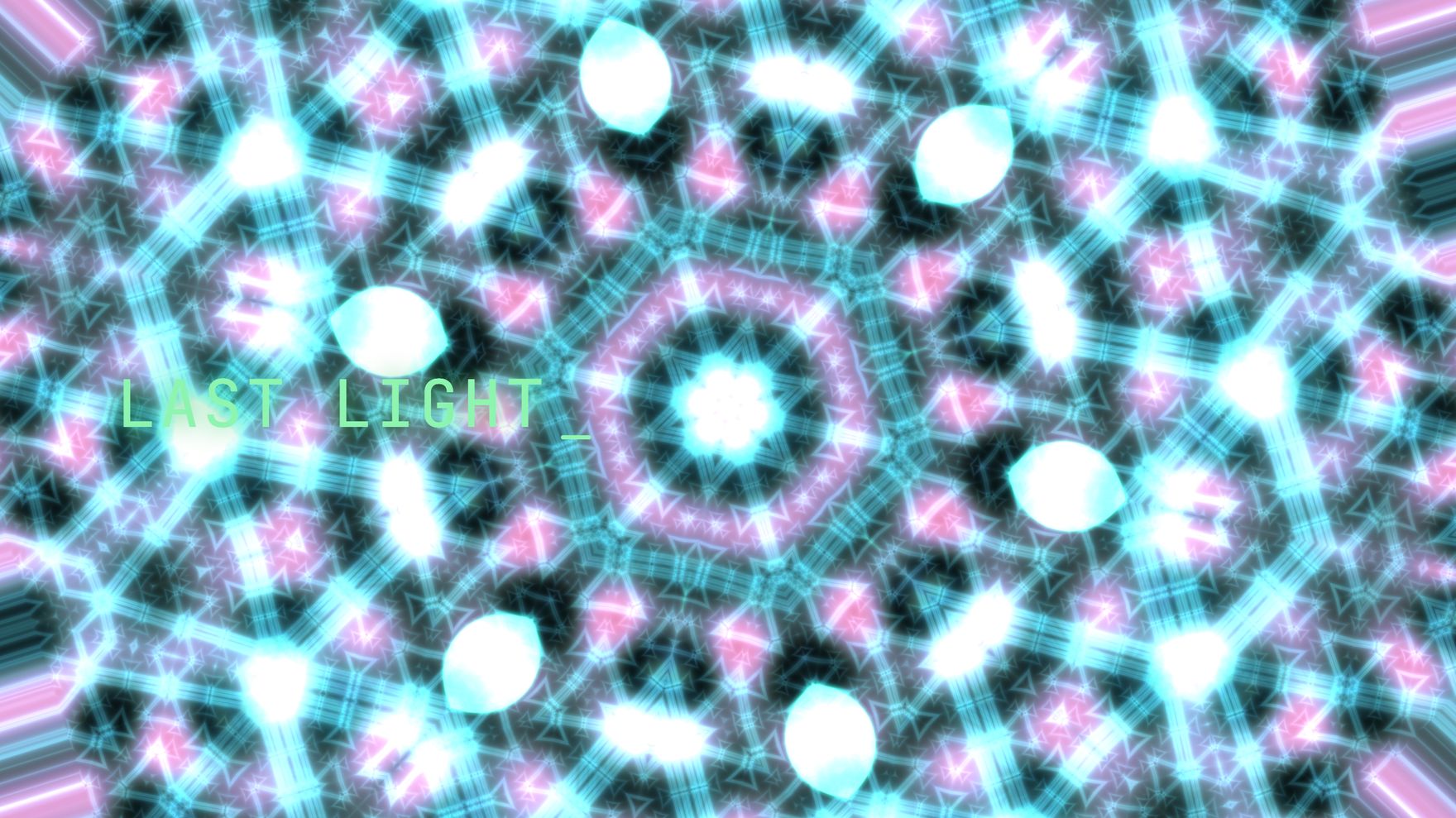
One clean master out
The finished frame the room sees — every engine, effect, layer and word composited and rendered at framerate, ready for the wall, a projector or the stream.
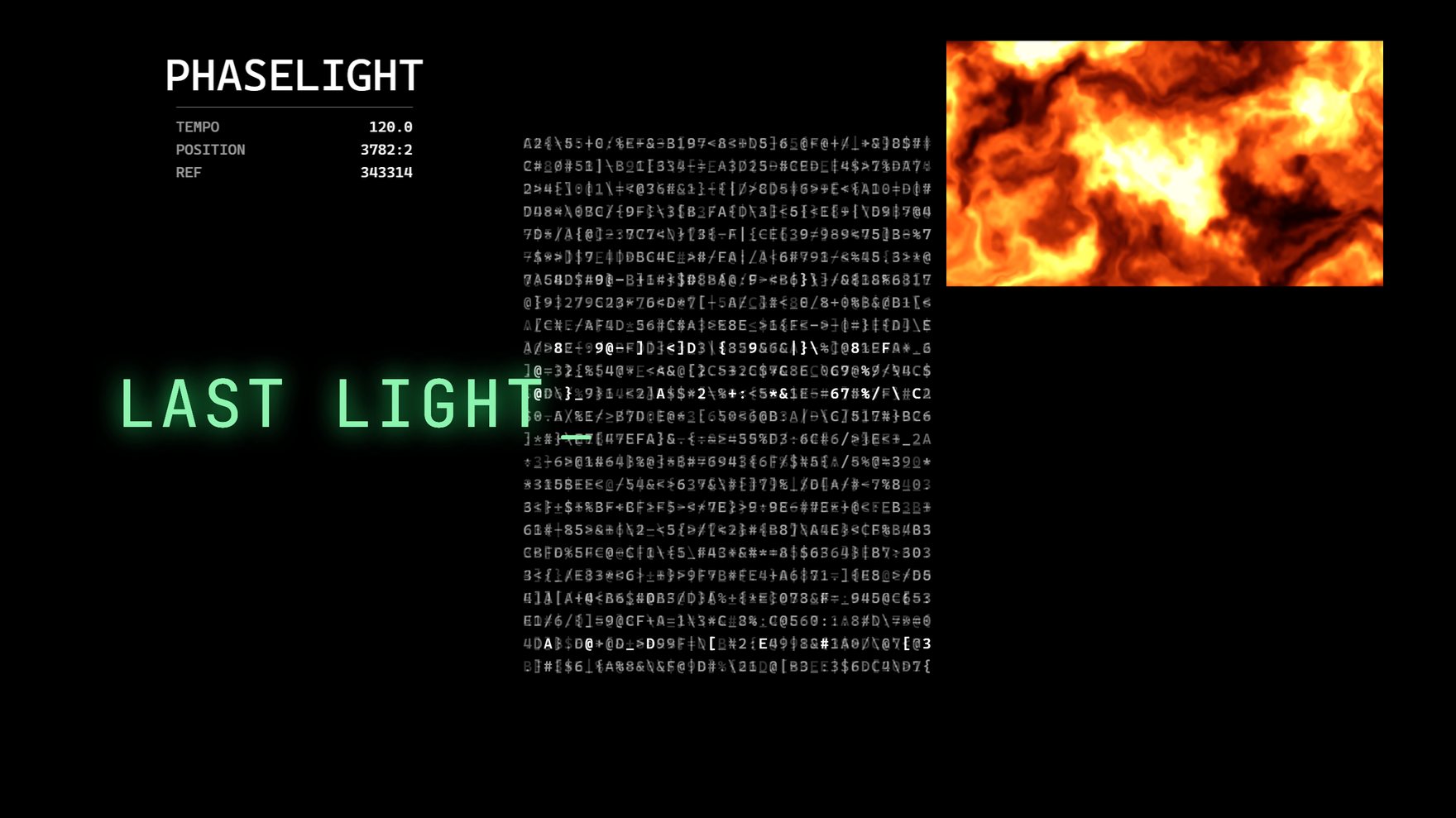
Instrument furniture
Counters, clocks, slates and meters that read the desk’s real numbers — not a decorative approximation. Place them anywhere on the frame beside your clips.

A page per song. The pads do not move.
Different clips, a different number of columns — the play buttons, MIDI notes and keyboard shortcuts stay exactly where they were. Column 3 is column 3 on every page, so the set you learned still plays.

Six bands, and each reports its hits
A kick and a bass note are no longer the same thing, and neither are a snare and a hat. A level meter cannot tell a held note from a strike — a hit can, and it is what makes a kick read on screen.
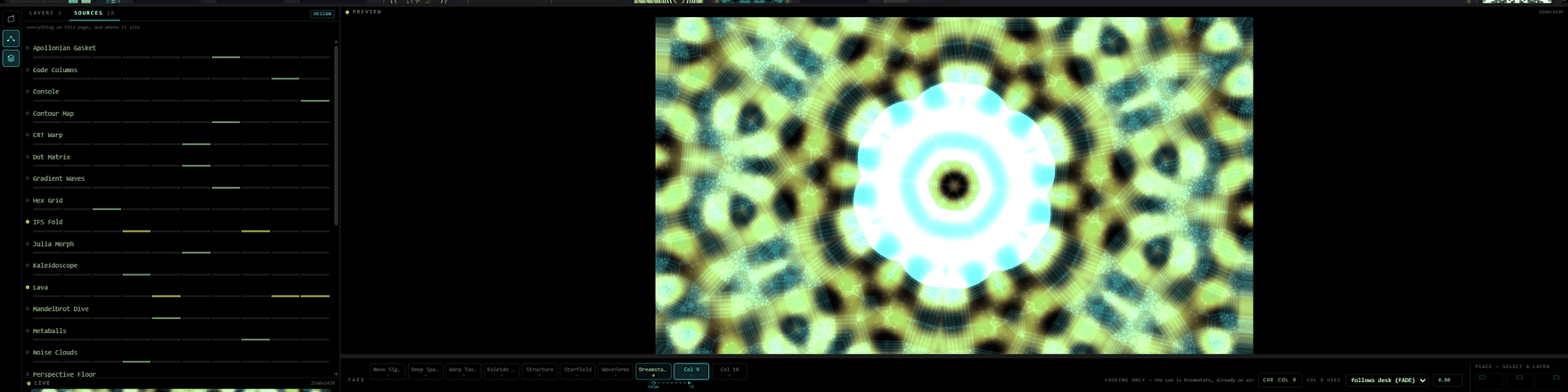
See the move before you make it
What a take will actually do: which layers fly and where from, which stay, which enter, which leave. Beside it, every source on the page and the columns that carry it.
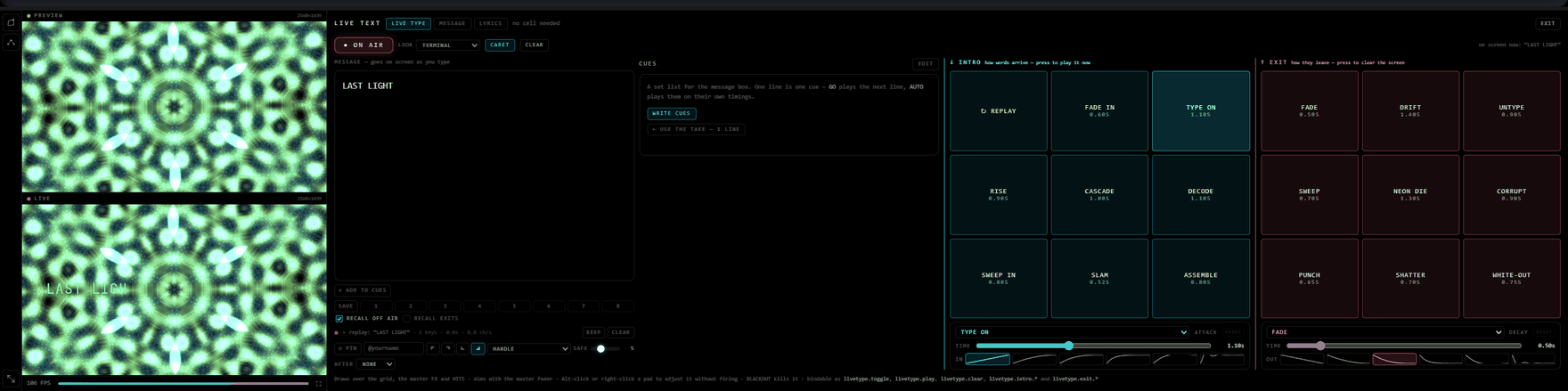
Type it and it is on screen
Words appear as you type them. Choose how they arrive and how they leave — type on, cascade, decode, shatter, white-out — and keep a set list of lines ready to fire.
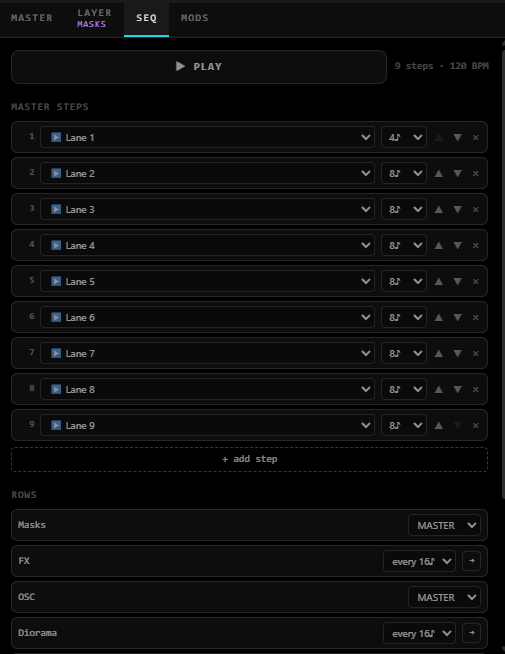
Put it on a clock
A beat-quantized column sequencer with per-row lanes and BPM transport. Tap tempo, lock to MIDI clock or ride Ableton Link, and let the set run itself.
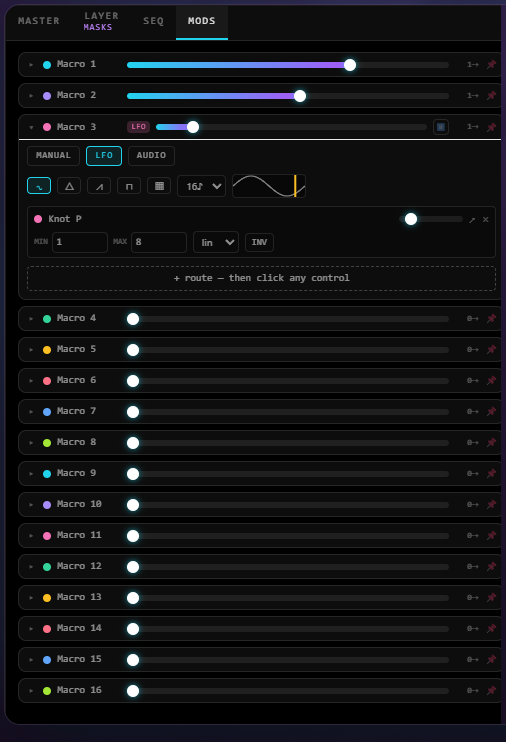
16 LFOs, unlimited targets
Every macro assignable to any number of parameters, plus audio envelopes and spectrum. Route-learn a control and it breathes on its own.
How a set flows
Three moves, endlessly
Cue the next look
Pick engines, dial FX, arm a HITS gesture. It stays private on the CUE deck until you commit — the floor sees nothing.
Make it move
Bind 16 LFOs, audio envelopes and MIDI to any parameter. The look breathes with the music before you ever push it live.
Commit on the beat
Hit TAKE to push it live — instant, crossfaded or A/B swap. The sequencer can fire it for you, quantized to tempo.
Get it out of the box
Made for stages & streams
Phaselight shows up as a webcam and streams full-framerate over the network — no capture-card gymnastics. Drop it straight into your broadcast.
Virtual camera
Phaselight appears as a webcam in OBS, Zoom and Discord — one-click install, no capture card.
ProNDI output
Full-framerate, GPU-scaled network video to any NDI-ready switcher or machine on your LAN.
ProOBS & window split
A clean full-screen output on a second display with a live confidence monitor — straight into OBS or the projector.
CoreCore · Pro · Packs
The instrument is free
Everything you build and play a set with is in Core, and Core is not a trial. Pro adds the ways a set leaves the machine — another app, another computer, a recording, a stream. Packs are a third thing: bought on their own, and they work in Core and Pro alike.
| Feature | Core | Pro |
|---|---|---|
| The desk | ||
| The grid — clips, columns, rows | ||
| Pages — a page per song, one set of pads | ||
| Canvas — placement, corner-pin, feather, skew | ||
| Flights, transitions and masks | ||
| Shows — the whole desk, saved and reloaded | ||
| Content | ||
| Shaders, dioramas, scenes and readouts | ||
| Your video, images and cameras · HAP conversion | ||
| Live Type — words on screen as you type | ||
| Shapes, the timeline and conductors | ||
| Control | ||
| MIDI learn · the MODS rack · 16 macros | ||
| Audio reactivity — six bands, each reporting its hits | ||
| Audio passthrough — your share carries the sound | ||
| OSC input — another machine drives this one | — | |
| Ableton Link — share a clock with the band | — | |
| Going live | ||
| Program window — a second monitor or a projector | — | |
| Recording — capture the output to a file | — | |
| Sending the picture out | ||
| NDI — in and out, over the network | — | |
| Spout — to another app on this machine Windows | — | |
| Syphon — the same, on a Mac macOS | — | |
| Virtual camera — OBS, Zoom, Discord Windows | — | |
| Bringing pictures in | ||
| Window & display capture — a game or a monitor on a cell Windows | — | |
| Sound, further in | ||
| Per-app audio — one program’s sound, not the system’s Windows | — | |
| Capture-only passthrough — audible to a capture, silent in the room Windows | — | |
Free to download
Run your first set tonight
The Core tier is free, and it is not a trial — the whole instrument, all of the content, and every way of playing it. A beta key unlocks the Pro outputs and is free during the beta. We hand keys to testers one at a time.
v0.7.3 — “The Setlist” · Windows (Pro) · macOS Core and, new, a first-look macOS Pro with NDI and Syphon (Apple Silicon) · both Mac builds unsigned — right-click → Open on first launch · every build from v0.6.2 onward auto-checks for updates and installs them in-app.
Next build — v0.7.4 “The Instrument” · a kick is a hit, not a hover: KICK, SNARE and HATS fire an envelope from nothing to full, with a sensitivity meter you drag and beat and bar triggers · a hundred looks drawn with lines — strands, particles, meshes, and heads that wear your face · the Replicator, one source cloned across the stage · a cell panel that opens on the controls that matter · takes that no longer stutter · lyrics that land on the beat. Testers see it first.
Updating starts your desk from defaults. Your media files and your licence key are untouched, but grids, pages, shows and settings are cleared. Screenshot anything you want back before you install.